
Takelan Utilities & APIs: the building blocks your app would otherwise build twice
One token. Every API. Zero glue code.
Address lookup, IP and domain checks, CVE data, email, files, OCR, a data store, realtime and AI. Sign in once, use one token, call a dozen families from the same origin. APIs for your code. Tools for your agents. Start free* if you use ShadowCradle.
The Utilities console lists every API family in one place.
Why teams choose it
One token for everything
Your Takelan login or API key works across all of these APIs. No new vendor account, form or key for each feature.
Ship features, not plumbing
Address cleanup, signed webhooks, file conversion and email delivery are solved problems. Call them instead of building them twice.
Tenant-scoped by design
Your tenant comes from your token, never from the request body. Roles and read-only keys apply to every call.
Built for agents too
The same routes are published as MCP tools, read-only by default, plus machine-readable docs in llms.txt.
Offline data, no per-call fee to a third party
Address, IP and CVE lookups run against datasets Takelan keeps and refreshes itself.
Affordable by design
Start free* if you use ShadowCradle. Beyond platform limits, pricing stays affordable so a small team can build like a big one.
What you can do
Security and intelligence
- IP and domain standing. A plain-language answer to "is this IP or domain in good standing", with reports and a delist workflow.
- Threat reputation feeds. Open threat feeds combined into per-IP and per-domain lookups and exportable blocklists.
- Security utilities. Check and report IPs and domains in bulk, scan an upload for viruses and validate a TLS certificate.
- CVE database. Search vulnerabilities by application or keyword from a local copy. Freshness depends on the data load having finished.
- Software catalog and end-of-life. Versions, lifecycle dates and known vulnerabilities per product, with a check for an installed inventory.
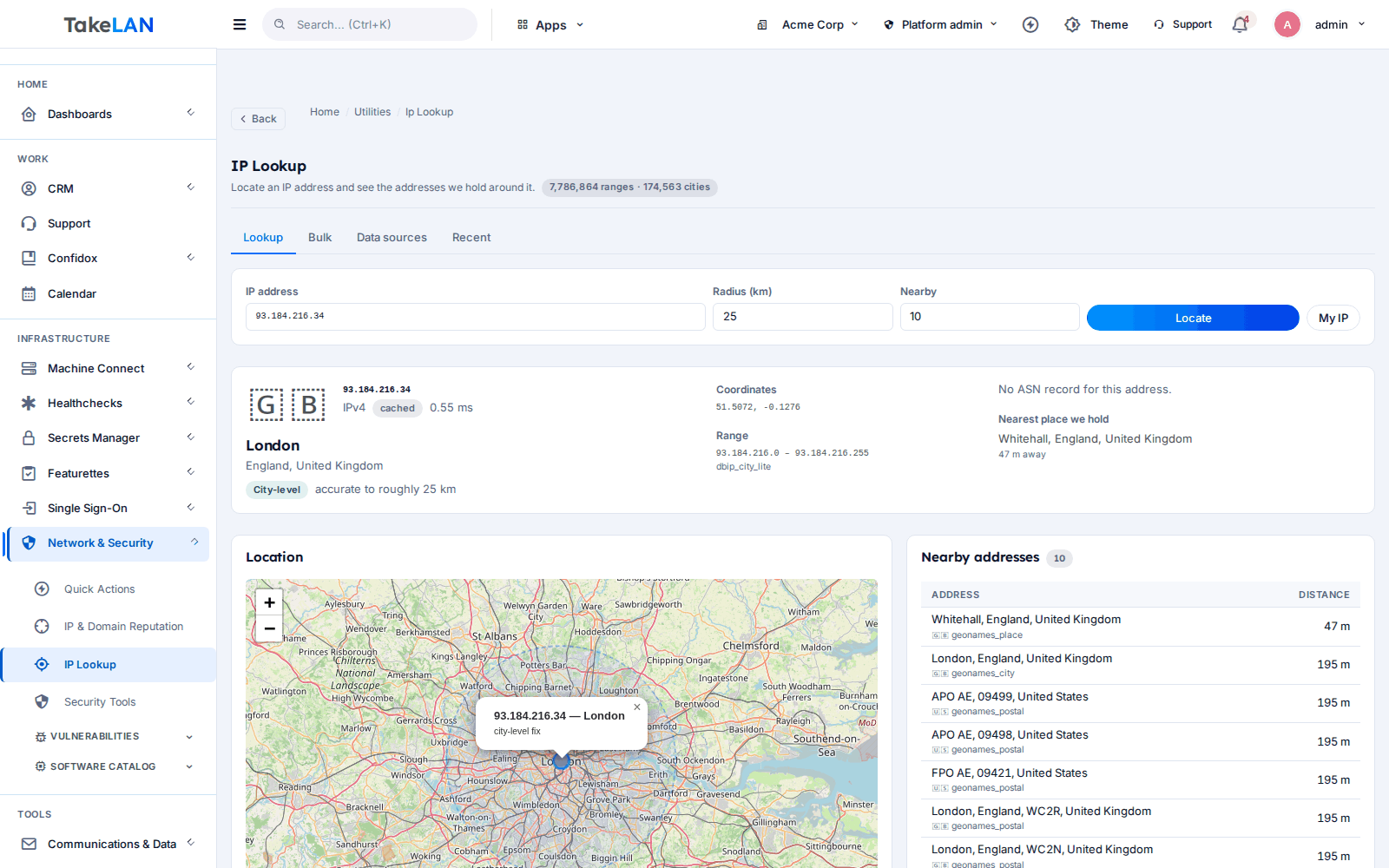
- IP geolocation. Country, city and network for one IP or many, from an offline corpus.
Location, address and time
- Address search and autocomplete. Look up, complete and normalize addresses worldwide from public datasets.
- Sales-tax profile. Get a tax profile for an address from public tax datasets.
- Time utilities. Time zone conversion, working days, business hours, daylight-saving transitions and a world clock.
Messaging
- Transactional and bulk email. Templates with preview, send, bulk send, a delivery log and statistics.
- Bring your own mail server. Send through SMTP, SendGrid, Mailgun, Postmark or SES.
- Inbound email. Receive mail, thread it, and convert it to a ticket.
- Central notifications. Publish an event once and deliver it by email, webhook, Slack, Mattermost or PagerDuty, with retries and an audit log.
- Signed webhooks. HMAC-SHA256 signatures, retries with backoff and replay of failed jobs.
Files and documents
- File storage. Tenant-scoped storage with folders, stars, trash and restore, search, signed URLs and virus scanning.
- File sharing. Share by link or with other users.
- Document conversion and OCR. Convert DOCX, ODT and RTF to PDF. Extract text from PDFs and images with OCR.
- URL redirects. Short or branded redirects with click analytics.
Data
- Data warehouse. A tenant JSON document store with schemas, validation, search and access logs.
- Collections with encryption options. Collections with indexes, attachments and encryption: none, client-side or managed.
- Tenant backups. Scheduled backup and restore of tenant data. A tenant admin turns scheduling on.
- User activity. See what a person did lately, built from access logs.
AI
- AI Gateway. Chat, batch and embeddings with failover, cost and latency hints, budgets and your own providers.
- Knowledge store and Assistant. Per-tenant document store with question answering and numbered sources.
Realtime
- Socket.IO channels. Tenant channels and collaborative documents with conflict handling, for apps on the platform.
Developer experience
- API keys and service tokens. Read-only keys, rate limits and server-to-server tokens.
- MCP endpoint. Utilities as tools for your AI agent at /mcp/utils. Read-only until a tenant admin allows writes.
- llms.txt and generated prompts. Machine-readable docs for the whole API surface.
How it works
Sign in once
Create a Takelan account, or use the one that comes with your connected ShadowCradle organization.
Create an API key
Make a key in SSO. Mark it read-only if it is for a script that only looks things up.
Call any family
Send the key in an X-API-Key header to /api/v1/... on the same origin. Each family page shows real routes.
Let your agent use them
Point an MCP client at /mcp/utils. It sees the same routes as tools, with your permissions.
See how it works
One key, many APIs
Auth and limits
Who it is for
Check a client's software against end-of-life dates
Feed a client inventory to the software catalog and get lifecycle dates and known vulnerabilities back. Turn it into a quarterly report.
Alert the right place with one call
Publish an event once and let notifications fan it out to email, Slack or PagerDuty with retries.
Clean up addresses at sign-up
Autocomplete and normalize addresses as customers type, with no per-call fee to a third party.
Turn scans into searchable files
Upload scanned PDFs. OCR extracts the text, and the knowledge store lets staff ask questions about them.
Works with
For ShadowCradle customers
Connected ShadowCradle organizations can use Takelan SSO and the free* services with one switch. It is optional. An Airgap licence works without any Takelan connection.
Free* for connected organizations.
Takelan SSO is included when you connect. The link is optional and switched on in one place. The Airgap licence tier works without it. How this stays safe.
See the ShadowCradle side*Free within platform limits. Usage beyond limits may be charged to maintain the platform.
API, MCP and AI
Endpoints
GET /api/v1/ip/lookup/{ip_address}Look up an IP address.POST /api/v1/ai/chat/completionsAsk a model, routed by Takelan.POST /api/v1/knowledge/askAsk your documents, with sources.
Example
curl -H "X-API-Key: $TAKELAN_API_KEY" https://app.takelan.com/api/v1/ai/models
MCP
POST https://app.takelan.com/mcp/utils. Streamable HTTP, JSON, tools only. Read tools are on by default. Writes, including calls that spend AI credit, need the tenant writes switch and a key that is not read-only. Do not rely on a fixed tool count. Ask tools/list.
- Every family is behind one origin, one token.
- See the API catalog for every route.
Security and trust
- Your tenant comes from your token only. A tenant id in the request body is ignored.
- API keys can be read-only, so a leaked script key cannot write.
- Provider keys and mail-server secrets are held server-side and are never returned by the API.
- Only client-mode warehouse collections are zero-knowledge. Managed mode keeps the key in Takelan Secrets.
See it
Look up where an IP address is.
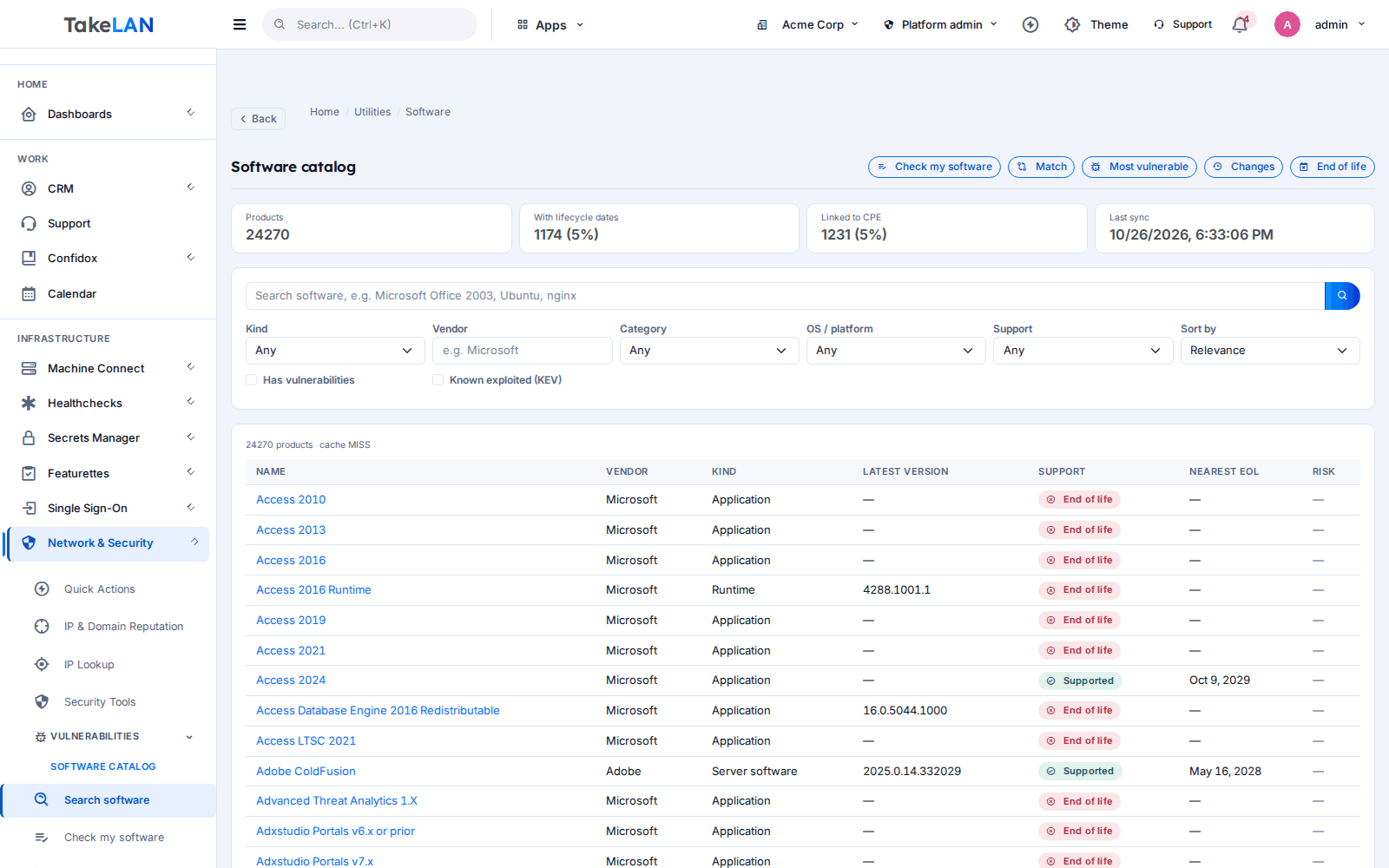
Software catalog with lifecycle and vulnerabilities.
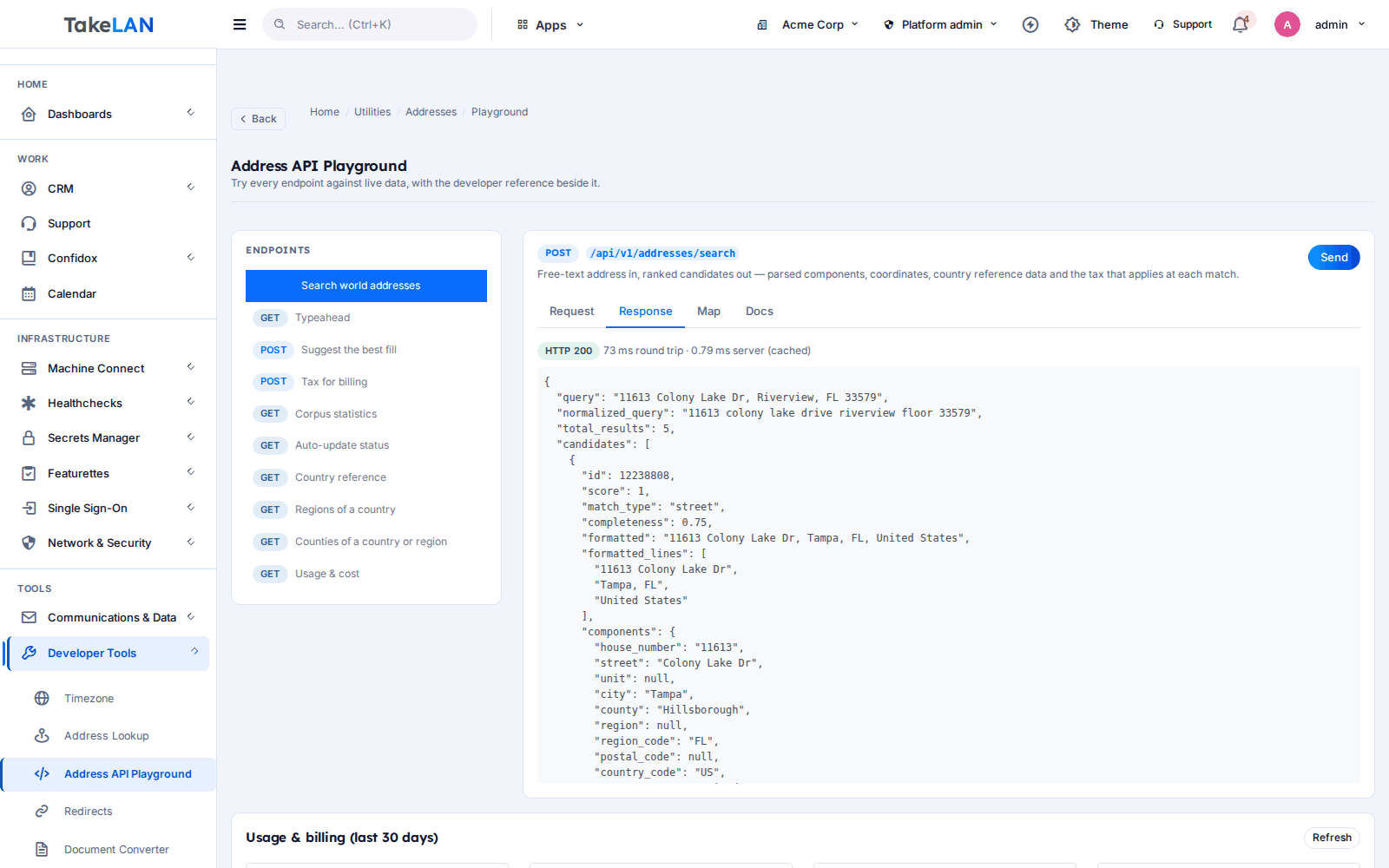
Try an API from your browser.
Affordable by design
Affordable by design. Connected ShadowCradle organizations start free*. Beyond platform limits, pricing stays affordable. *Free within platform limits; usage beyond limits may be charged to maintain the platform.
*Free within platform limits. Usage beyond limits may be charged to maintain the platform.
See pricingCommon questions
What is Takelan Utilities & APIs?
A set of ready-made APIs for common jobs: address and IP data, security checks, CVE and software data, email and notifications, files and OCR, a data store, realtime and AI. They sit behind one sign-in and one token.
Do I need a separate key for each API?
No. One Takelan token or API key works for every family on the same origin.
Where is the full list of routes?
In the API catalog at /developers. Each family has its own page with real endpoints and examples. The running service and llms.txt are the final authority.
Is there an address autocomplete and normalization API?
Yes. Address Intelligence searches, completes and normalizes addresses and gives a sales-tax profile, using public datasets Takelan refreshes itself. It is search and cleanup, not carrier delivery-point validation.
How fresh is the CVE data?
The CVE database is a local copy loaded from the public feed. A full load takes hours, so freshness depends on that load having finished.
Can an AI agent use these APIs?
Yes, through MCP at /mcp/utils. It is read-only by default, runs with your own permissions and never exposes credential routes.
Are there SDKs?
Not for Utilities and AI yet. Use plain HTTP. Featurettes has its own SDKs, one ready and others in progress.
What does it cost?
It is affordable by design. Connected ShadowCradle organizations start free*, within platform limits. Usage beyond limits may be charged to maintain the platform.
More from the platform
Stop building the same plumbing twice
One token, one origin, a dozen families. Browse the catalog and make your first call in minutes.