
Confidox: encrypted documents + service desk for IT teams
Run your service desk, billing and client documents in one place.
Confidox is a back office for IT teams and MSPs. Tickets, projects, time, agreements, invoices, assets and a knowledge base sit next to a document library whose text is encrypted in your browser. Start free*.
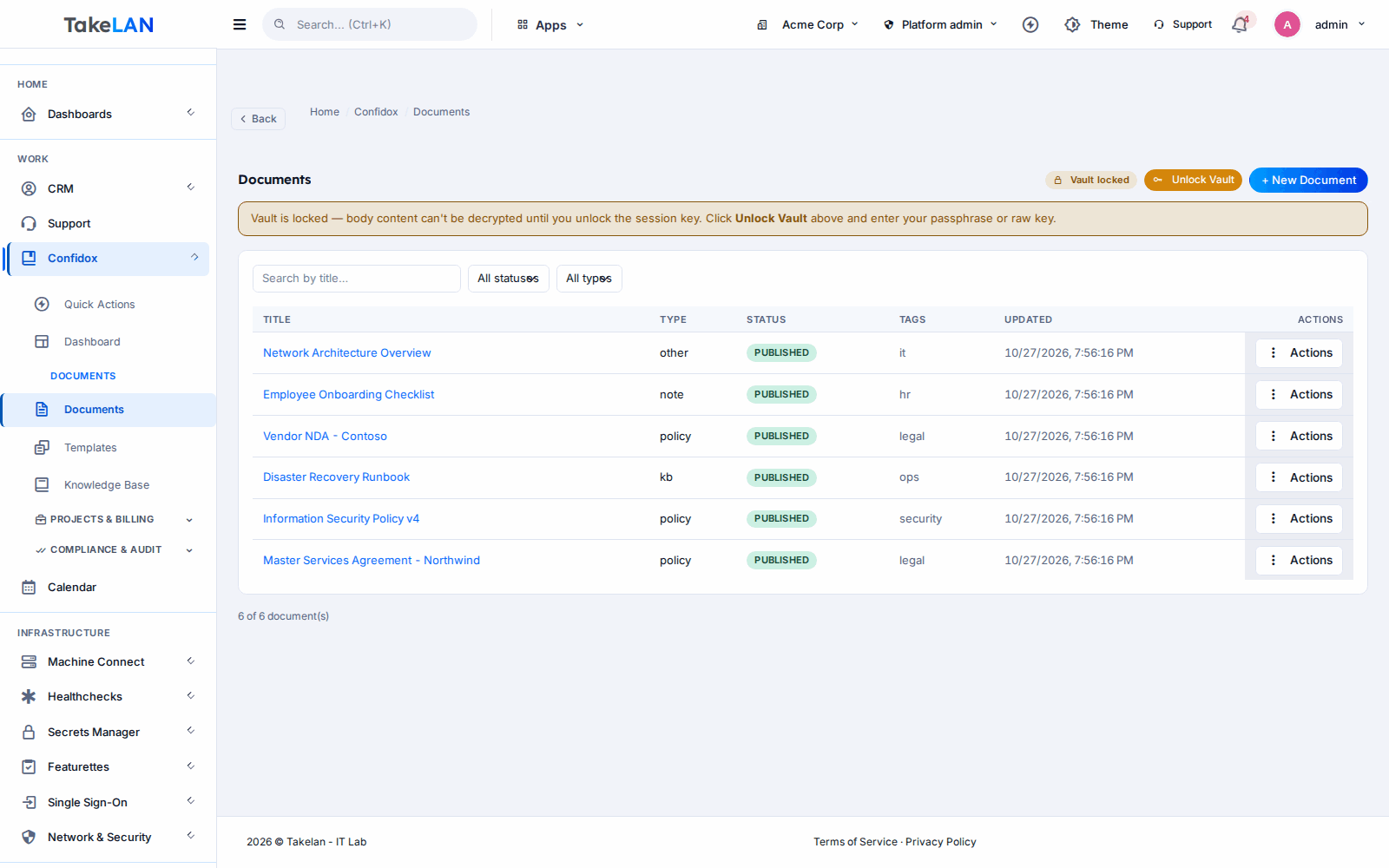
The Confidox dashboard, with the document vault locked.
Why teams choose it
One place instead of five tools
Your docs, tickets, assets, time sheets and invoices stop living in separate apps. One login. One customer record.
Document text locked by your key
Document bodies are encrypted in the browser before they are saved. The server stores ciphertext and rejects plain text.
Get paid for the hours you work
Log time with a timer or by hand, send it for approval, and see agreement hours used against what the client bought.
Know what you manage
Keep a register of laptops, servers, licences and more, with owner, location, warranty dates and status.
See who touched what
An append-only access log records who viewed, created, changed or deleted a document, and whether it worked.
Affordable by design
Start free* on the Takelan platform. No hardware, no server to install. Pay only if you grow past platform limits.
What you can do
Encrypted document library
- Browser-side encryption. Document bodies are sealed with AES-256-GCM in your browser. The server rejects anything that is not ciphertext.
- Vault lock and unlock. Unlock the vault to read and write. Lock it and the text stays sealed.
- Strict documents. Turn on strict mode and the title is encrypted too.
- Quick upload. Drop in a file fast. It is sealed on the server with a per-tenant key, so teammates in your tenant can read it.
- Types, tags and status. Knowledge, policy, note or other. Draft, published or archived. Tags and a customer reference.
- Templates. Save a document as a template and create new ones from it.
- Safe edits. A version counter stops two people from overwriting each other. The second save is refused.
- Title search. Find documents by the start of the title. Search does not read encrypted bodies.
Service desk and projects
- Tickets. Status, priority, assignment, notes, comments and attachments. Resolve and close. Work them in Takelan Customer Desk.
- Projects. Create and track client projects.
- Knowledge base. Categories, articles and a publish step. Find articles by title.
- Project members and notes. Team members and notes on each project.
Time and agreements
- Time entries. Add time by hand or start and stop a timer.
- Approvals. Submit time. A manager approves or rejects it.
- Client agreements. Draft, activate, and cancel. A usage gauge shows how much of the agreement is used.
- Signed PDF upload. Attach the signed PDF to an agreement. It is stored encrypted.
- AI help with terms. An assist button in the web app can help draft agreement terms.
Invoices and payments
- Invoices. Create, edit and track invoices per client.
- Payments. Record payments against an invoice and see what is still open.
- Invoice stats. Totals and status counts at a glance.
Asset register
- Asset types. Laptop, desktop, server, network device, printer, mobile, software, licence and other.
- Detail fields. Tag, serial number, maker, model, owner, location, cost, purchase date and warranty date.
- Lifecycle status. From active through to stolen, so the register stays honest.
- Asset stats. Counts by type and status.
- Assignment history. See who held an asset over time.
Reports and audit
- Dashboard. Tickets by status, time by person, utilization and a revenue forecast.
- Service levels. An SLA report for your tickets.
- CSV export. Pull reports out as CSV.
- Document access log. Append-only. View, create, update, delete and failed unlock attempts, each with an outcome.
- Access frequency report. See which documents are opened most.
Admin and data
- Roles. Viewer, operator and admin roles map to read, create, update, delete and manage.
- Tenant isolation. Every request is scoped to your tenant by the sign-in token.
- Backup and restore. Admins can export a tenant archive and restore it.
- Compliance quick actions. Apply a policy or run a check against a named framework.
How it works
Sign in with Takelan SSO
Confidox uses your Takelan sign-in. Roles decide who can read, edit or manage.
Add clients, assets and agreements
Register the gear you manage. Activate an agreement for each client. The usage gauge starts counting.
Work tickets and log time
Run the queue in Customer Desk. Log time with the timer. Managers approve it.
Write documents, then unlock the vault
Unlock with your key. Your browser encrypts the text before it is saved. Lock the vault when you step away.
Invoice and report
Create the invoice, record the payment, and open the dashboard to see tickets, time and revenue.
See how it works
Everything an IT team needs to run client work, in one place
How encrypted documents work
Agreement to invoice
Who it is for
Onboard a new client in one afternoon
Add the client, register their laptops and servers, activate a support agreement, and file the network runbook as an encrypted document. Hours used show up on the agreement gauge.
Keep runbooks and policies close to the tickets
Write a policy once, publish a how-to in the knowledge base, and keep sensitive notes in the vault. The access log shows who opened them.
Track the hardware you paid for
Log every laptop with its owner and warranty date. Know what is due for replacement before it fails.
Automate the back office
Everything is an API. Create assets from your own tooling, or point an MCP-capable assistant at Confidox to read your data.
Works with
For ShadowCradle customers
ShadowCradle cloud can mirror appliance asset registrations into the Confidox asset register. It can also record EULA acceptances as activated agreements. Both are off by default and are turned on per organization. An Airgap licence works without any Takelan connection.
Start free* for connected organizations, within platform limits.
Takelan SSO is included when you connect. The link is optional and switched on in one place. The Airgap licence tier works without it. How this stays safe.
See the ShadowCradle side*Free within platform limits. Usage beyond limits may be charged to maintain the platform.
API, MCP and AI
Endpoints
GET /v2/documentsList documents.POST /v2/documentsCreate a document. The body must be ciphertext.GET /v2/assetsList assets.POST /v2/assetsAdd an asset to the register.POST /v2/time-entriesLog a time entry.GET /v2/agreementsList agreements with usage.GET /v2/invoicesList invoices.GET /v2/reports/dashboardDashboard numbers.
Example
curl -H "X-API-Key: $TAKELAN_API_KEY" \
  https://app.takelan.com/api/v1/confidox/v2/assets
MCP
Confidox exposes an MCP endpoint at /mcp, built from its own API routes. It is read-only by default. Write tools appear only when your tenant turns writes on. Every call runs with the caller's own permissions. Key-management, backup, purge, attachment download and signed-PDF routes are never offered, and decrypted document content stays hidden.
- About 100 routes under /v2, with OpenAPI and Swagger docs.
- Sign in with SSO, or use an API key.
- Service tokens are refused on the MCP endpoint.
Security and trust
- Document bodies are encrypted in the browser with AES-256-GCM. The key comes from PBKDF2-SHA256 with 600,000 rounds, or from a raw 32-byte key.
- The server accepts only ciphertext in encrypted fields and rejects plain text.
- Encryption covers specific fields, not the whole product. Quick uploads are sealed on the server, and the platform holds a master key.
- The vault key lives in browser memory only. Reload the page and you must unlock again. Keep your key safe, because a lost key means unreadable text.
- A pass phrase is turned into a key with a simple hash. For the strongest protection, use a random 32-byte key.
- Search covers titles, not encrypted bodies.
- Tenant isolation comes from the sign-in token. The document access log is append-only.
See it
Documents with a locked vault.
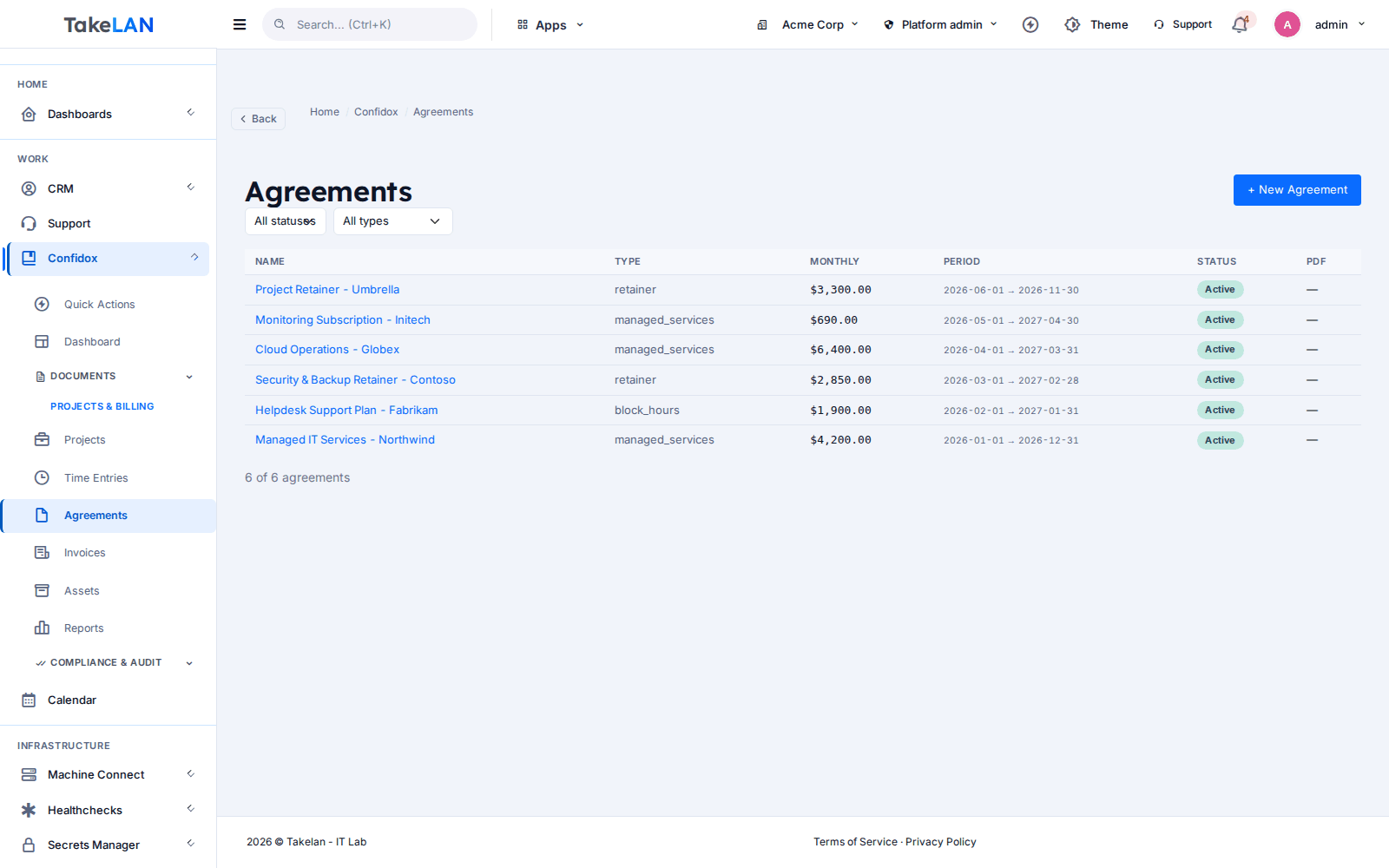
Client agreements in one list.
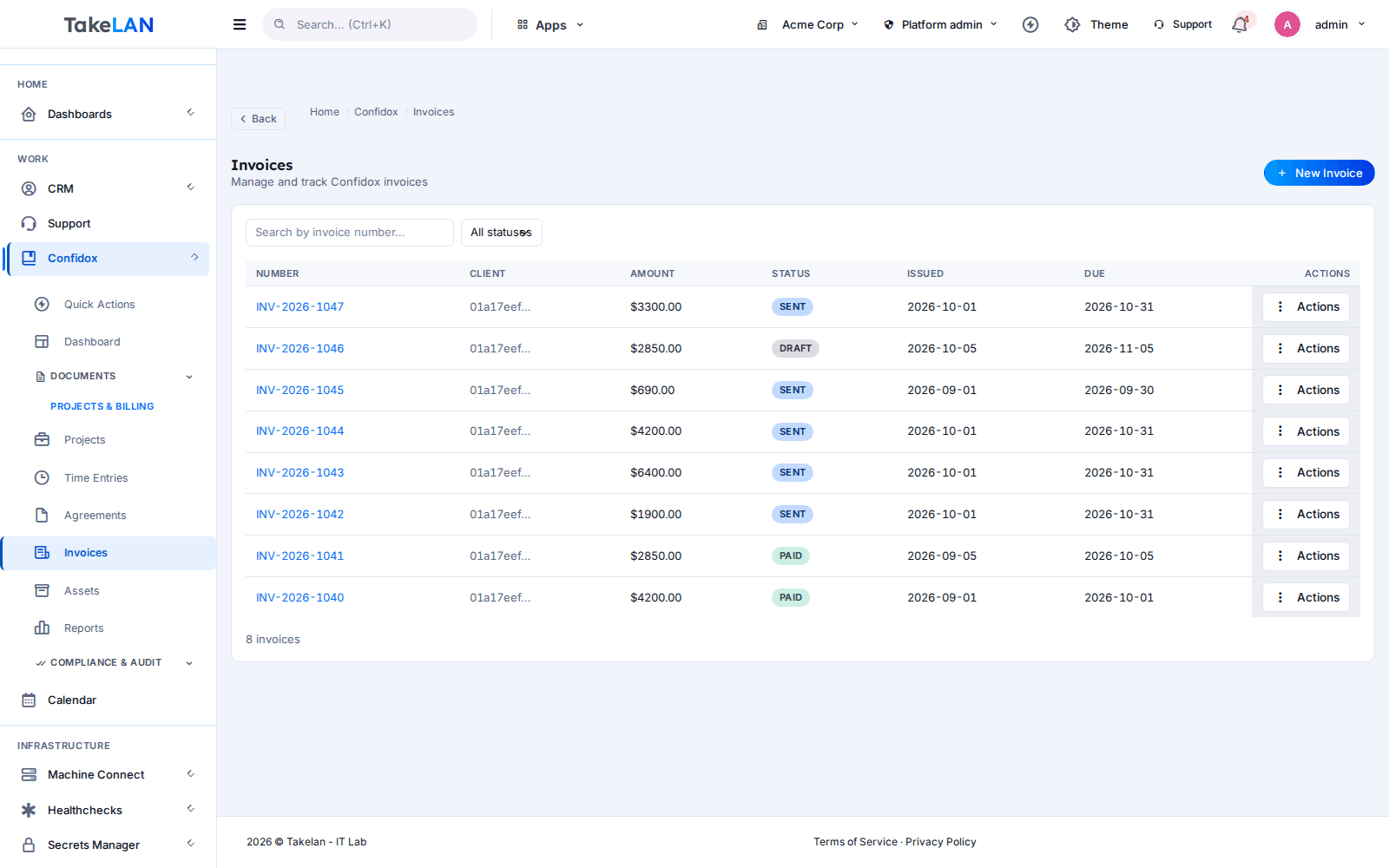
Invoices and their status.
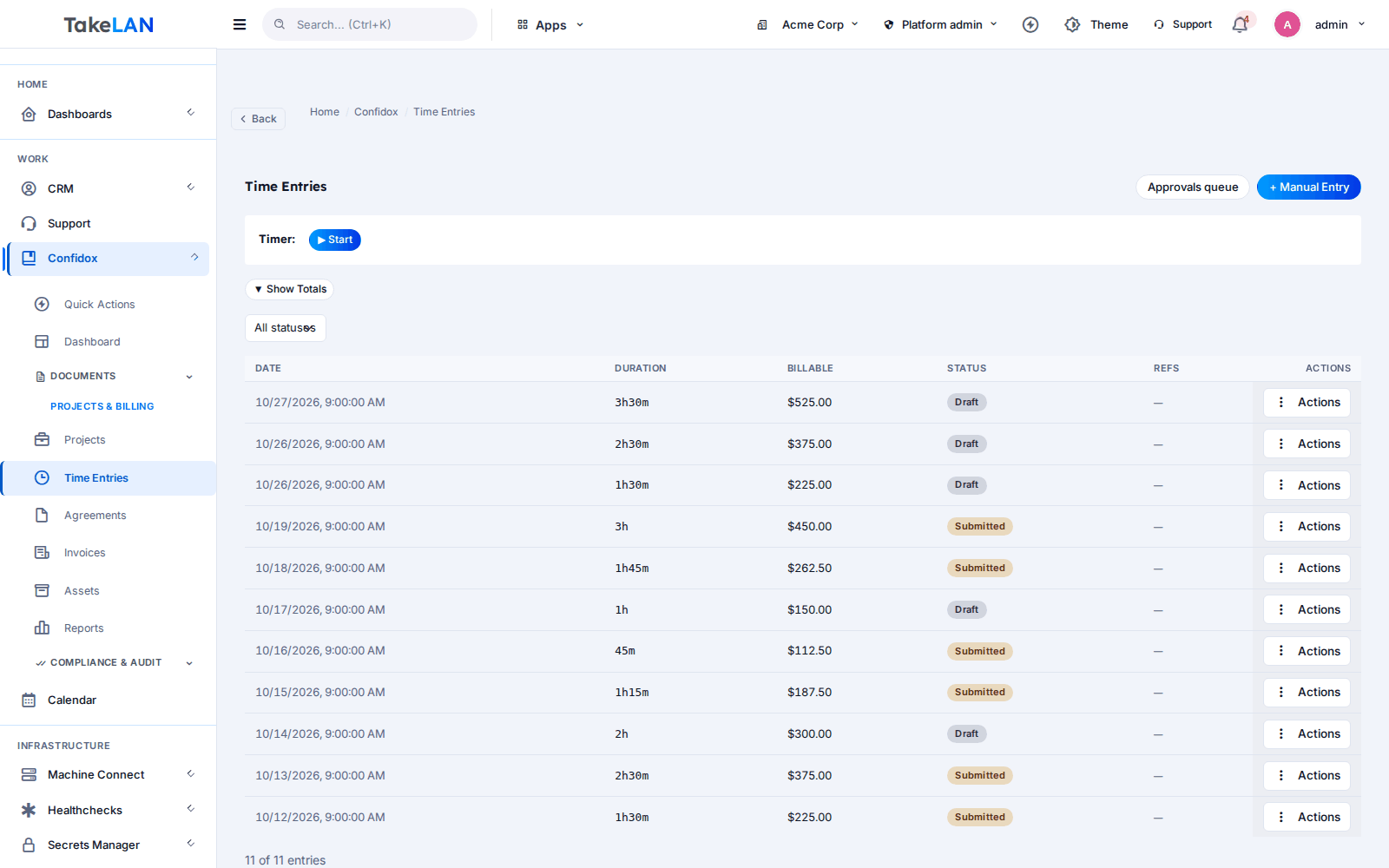
Track time as you work.
Affordable by design
Affordable by design. Start free* on the Takelan platform, with no servers to install. Pricing beyond platform limits stays affordable.
*Free within platform limits. Usage beyond limits may be charged to maintain the platform.
See pricingCommon questions
What is Confidox?
Confidox is a back office for IT teams and MSPs. It has tickets, projects, time tracking, client agreements, invoices, an asset register, a knowledge base and reports. It also has a document library where the text is encrypted in your browser.
What is a PSA and do I need one?
PSA means professional services automation. It is the tool that ties your tickets, hours, contracts and invoices together. If you sell IT support by the hour or by agreement, a PSA saves you from juggling spreadsheets.
Is Confidox zero-knowledge?
Not as a whole product. Encrypted document fields are sealed in your browser, so the server stores ciphertext. Quick uploads are sealed on the server, and the platform holds a master key. We describe it as browser-side encrypted document bodies.
What happens if I lose my vault key?
Encrypted text cannot be read without the key. The key is held in browser memory only and is lost when you reload the page. Store your key in a safe place.
Can I search inside encrypted documents?
No. Search matches the start of titles. Document bodies are encrypted, so they are not searched.
Does Confidox keep document version history or sharing links?
No. It has a version counter that stops overwrites, but not a history you can restore, and no share links.
How do I manage tickets in Confidox?
Tickets are created and worked in Takelan Customer Desk. Confidox holds the ticket API, notes, comments and attachments, and its reports.
Does Confidox send invoices by email?
Not today. You create invoices and record payments in Confidox. Sending is not part of the product.
Does Confidox find my assets automatically?
No. You add assets by hand or through the API. ShadowCradle cloud can mirror appliance registrations in, when you turn that on.
Can an AI assistant use Confidox?
Yes, through MCP at /mcp. It is read-only by default, writes need a tenant switch, and the assistant only gets what the caller may already do. Confidox itself has no built-in AI engine.
Is it free?
Start free* within platform limits. *Free within platform limits; usage beyond limits may be charged to maintain the platform.
More from the platform
Put your service desk and your documents under one roof.
Start free* with Confidox on the Takelan platform. No servers to install.