
SSH access management with short-lived keys and certificates
Give SSH access for an hour. Take it back on time, every time.
Stop pasting keys into authorized_keys and hoping someone removes them later. With the SSH Access Manager, a person asks for a server, an owner approves, and the access ends by itself. Every grant and every login is on the record. Start free*.
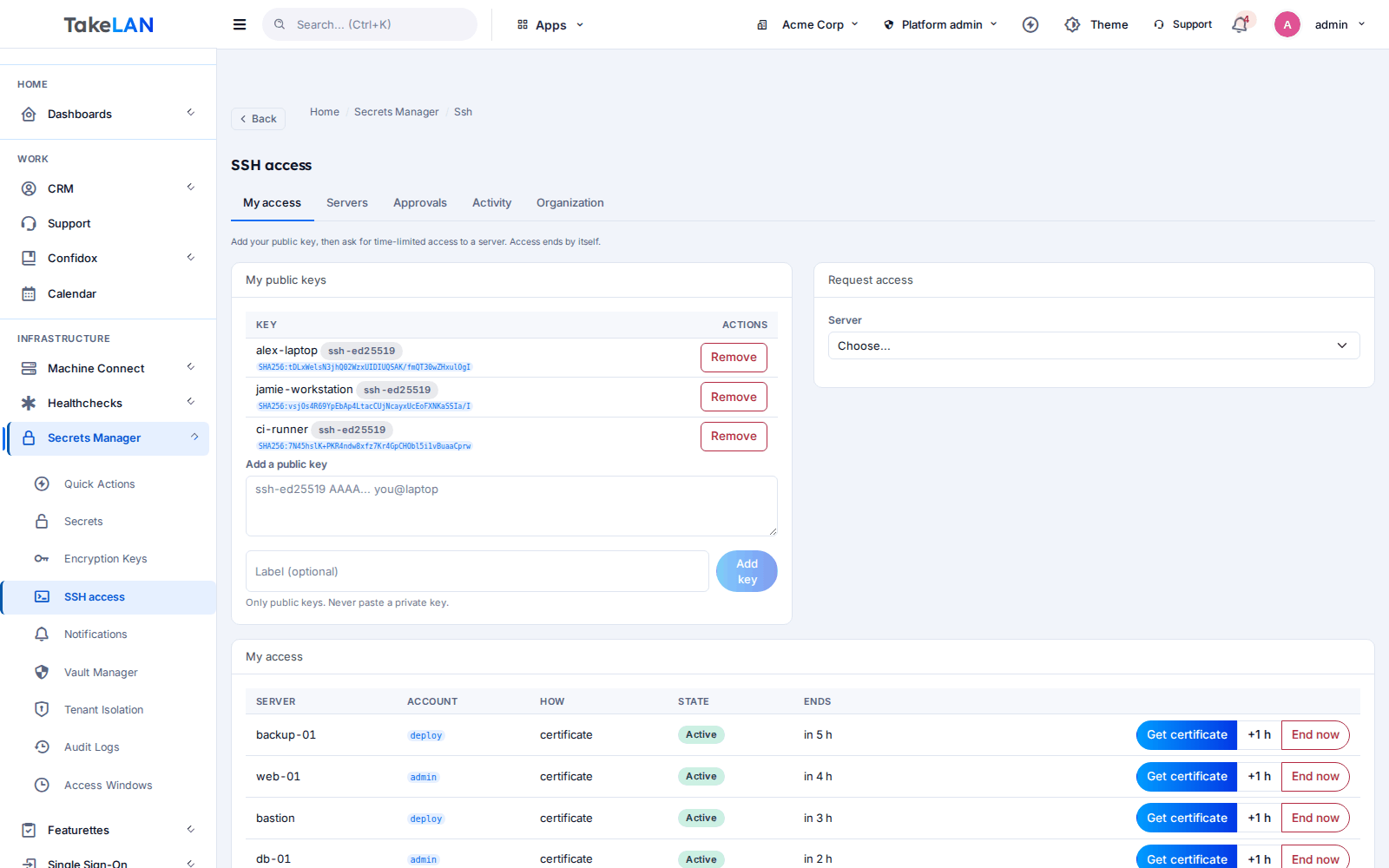
My access: request a server, see the time left, and get a certificate.
Why teams choose it
Access that ends by itself
Every grant has an end time. You can also cap the number of logins, or make it work for one login only.
No shared keys, ever
People add only their public key. Nobody sends a private key, and nobody needs the root password for a shared account.
Approvals when you want them
Require a decision and a reason. Server owners approve for their own servers. Nobody can approve their own request.
Revoke in one click
Cancel a grant and the agent removes the key at its next check, normally within about 30 seconds.
Know who logged in, and when
Logins are reported by each server and kept next to a hash-chained audit trail that you can verify.
Easy to start, affordable by design
One install command per server. No jump host to build. Start free*, and grow at an affordable price.
What you can do
Grants: who, which server, how long
- Time-limited grants. Pick a key, a server and a local account, and set how long it lasts. The shortest grant is one minute.
- Start later. Schedule access to begin up to 30 days from now.
- Login limits. End the grant after a set number of logins, or after the first one.
- Reason on every request. Ask for a reason and show it to the person who decides.
- Extend or revoke. Owners and administrators can add time or end access now.
- Wait for ready, from a script. A long-poll call returns when the server has confirmed the key, so automation does not guess.
SSH certificate authority
- Your own certificate authority. An administrator creates an Ed25519 CA for the organization. Servers in certificate mode trust it.
- Short-lived certificates. A certificate lasts as long as you choose, from one minute up to the time left on the grant, and never past it.
- Per-grant principals. Each certificate names the account it is valid for, so one certificate cannot open another account.
- CA rotation. Replace the CA key. Old certificates stop working once servers pick up the new one.
- The CA key is never left lying around. The CA private key is kept sealed at rest and is only opened in memory to sign.
The agent on your servers
- One-line install. Run the install script with sudo. It enrolls the server and starts a hardened service.
- Signed download. The installer checks an Ed25519 signature and the checksum before it runs anything.
- Edits one marked block. The agent only rewrites its own marked block in authorized_keys. Your own keys are left alone.
- Local account allow-list. You choose which accounts the agent may manage. The server cannot add more.
- Break-glass accounts. Name accounts the agent never touches, for example root.
- Works with the API down. Expiry and login limits are enforced from saved state on the server itself.
- Clean uninstall. Uninstall restores every file it changed and checks the SSH config before reloading.
- x86_64 and aarch64 Linux. A static binary with no OpenSSL dependency. Needs systemd and OpenSSH.
Policy: who can reach which host
- Three levels of policy. Set rules for the whole organization, for a server, or for a user. The strictest rule wins.
- Per-server access. Each server has an owner. Others can ask only if the server is open to the organization or they are on its list.
- Approval, reason and limits. Require approval or a reason. Set the longest access, the default, and a cap on logins.
- Access hours. Define weekday and time windows in UTC. Requests that fall outside are refused. Set through the policy API.
- Key rules. Allow only certain key types, and keep RSA keys at 3072 bits or more.
- Choose key or certificate access. Let a server use authorized keys, certificates, or both.
Audit trail and alerts
- Hash-chained audit trail. Grants, decisions, policy changes and key changes are recorded in a chain. Verify it any time.
- Login activity. Servers report logins with the account, source address and which grant allowed it.
- Heartbeats. See when each server last checked in and what it actually allows.
- Notifications. Events such as requests, approvals, expiry, logins, a server going quiet, and a key found that you did not expect.
Wrapping key
- Your organization's wrapping key. An administrator creates a key that seals SSH data, including the CA private key.
- Recovery code. A code shown once. You confirm you saved it with its checksum.
- Rotate and re-seal. Rotate to a new version. The data is re-sealed in the background.
- Kill switch. Disable the key to stop new grants and certificates until it is enabled again.
- Restore from code. Rebuild the key from the recovery code if it was lost.
How it works
Install the agent
On each server, run the one-line install script with sudo and name the accounts it may manage, such as deploy and ops. Add break-glass accounts like root to the protected list.
Set the rules
An administrator creates the wrapping key, then the certificate authority if you want certificates. Set the organization policy: approvals, longest access, reasons, access hours.
Ask for access
A person adds their public key, picks a server and account, and says how long. If approval is required, the server owner gets a request.
Connect
The agent adds the key, or the person downloads a short-lived certificate and connects as usual with ssh. Nothing to copy by hand.
It ends, and it is on the record
At the end time, or after the last allowed login, the key leaves the server. Every step is in the audit trail.
See how it works
Access that ends by itself
No shared keys
Policy layers and the audit trail
Who it is for
A contractor needs the client's server for two hours
An MSP engineer asks for the deploy account on a client server and gives a ticket number as the reason. The owner approves, the key goes live, and two hours later it is gone. The client gets a login record for their files.
Audit week without the scramble
Open the audit trail and the login activity. See who had access to which server, who approved it, and when it ended. Run the verify check to show the record was not edited.
Production access that is not permanent
Ask for one login to production, fix the issue, and the key is removed after you log in. A script can wait until the server confirms the key and then connect.
The freelancer who left last year
Stop wondering whose key is still in authorized_keys. Managed access has an end date, and the heartbeat shows keys on the server that Takelan did not put there.
Works with
Notifications
Alerts reach the channels your organization has set up.
For ShadowCradle customers
Connected ShadowCradle organizations can use the SSH Access Manager as one of the free* Takelan services for the Linux servers they run. It is a Takelan platform service, separate from the ShadowCradle appliance itself.
Optional with one switch for connected organizations. Airgap licences work without it.
Takelan SSO is included when you connect. The link is optional and switched on in one place. The Airgap licence tier works without it. How this stays safe.
See the ShadowCradle side*Free within platform limits. Usage beyond limits may be charged to maintain the platform.
API, MCP and AI
Endpoints
POST /api/v1/ssh/keysRegister a public key.POST /api/v1/ssh/grantsRequest access to a server.POST /api/v1/ssh/grants/{id}/approveApprove a request.POST /api/v1/ssh/grants/{id}/revokeEnd access now.POST /api/v1/ssh/certsGet a short-lived certificate for an active grant.GET /api/v1/ssh/audit/verifyCheck the audit chain.PUT /api/v1/ssh/policies/{scope}Set tenant, server or user policy.
Example
curl -X POST -H "Authorization: Bearer $TAKELAN_API_KEY" \
  -H "Content-Type: application/json" \
  -d '{"server_id":"<id>","key_id":"<id>","account":"deploy","ttl_s":3600}' \
  https://<your-takelan-host>/api/v1/ssh/grants
MCP
The SSH routes are part of the Secrets MCP endpoint at /mcp/secrets. The assistant runs with the caller's own permissions and writes are off until your organization turns them on. Routes for the server agent are never exposed, and wrapping-key actions stay hidden unless your organization allows them.
Security and trust
- People register public keys only. Private keys are never sent to Takelan.
- The agent can only manage the accounts you list on that server. A compromised API cannot add more, and protected accounts are never touched.
- Key lines are strictly checked: one line, allowed types, no options, no hidden commands.
- Installer downloads are checked with an Ed25519 signature and a checksum.
- The agent is a static Rust binary with unsafe code forbidden. It runs as a hardened systemd service.
- Expiry and login limits are enforced on the server from saved state, even when it cannot reach Takelan.
- SSH data is sealed with AES-256-GCM under your wrapping key. The key is stored in the Secrets Manager vault, so the platform can use it. This is not zero-knowledge.
- The audit trail is tamper-evident, not tamper-proof. Verify finds the first changed entry.
See it
My access.
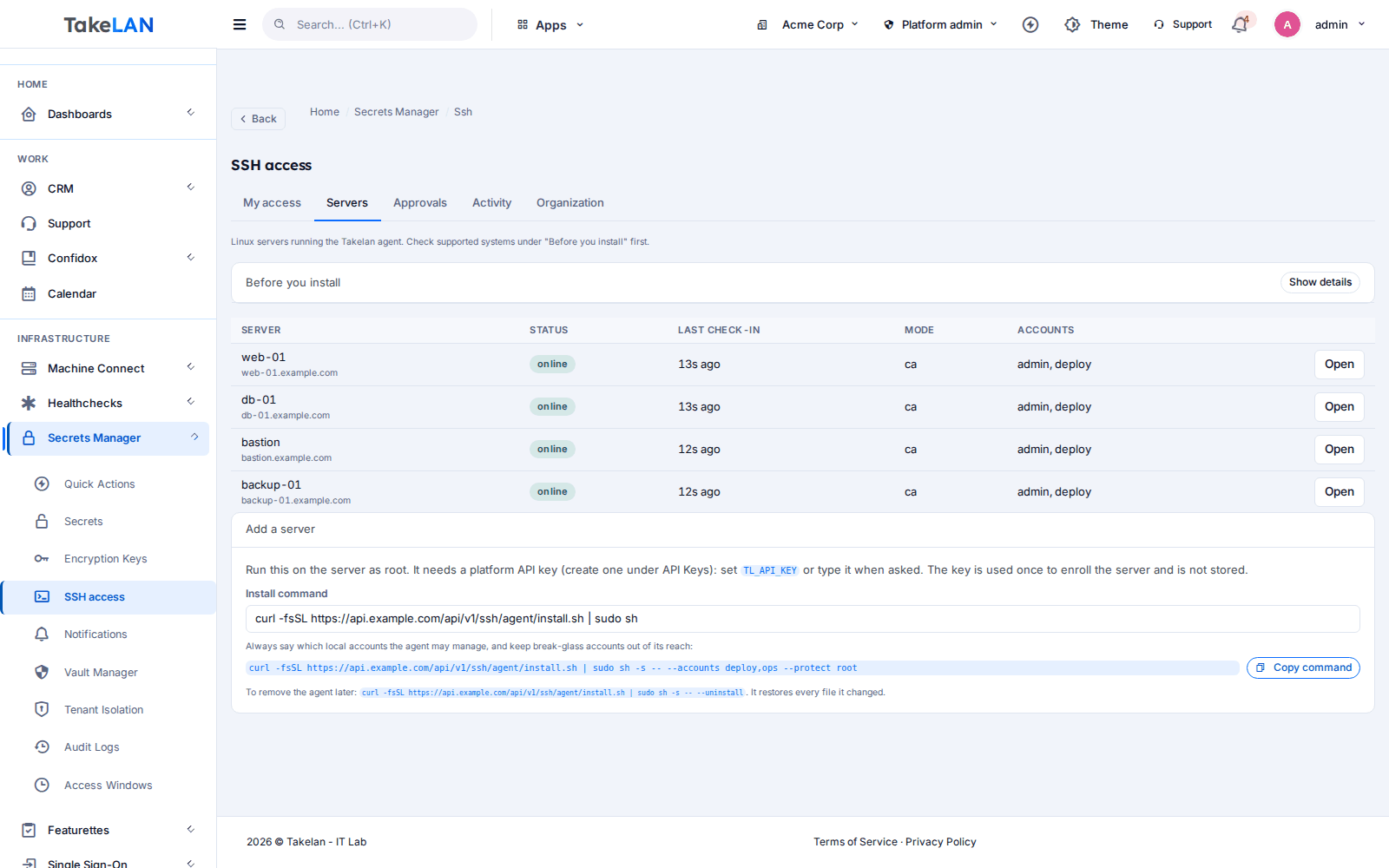
Servers and the install command.
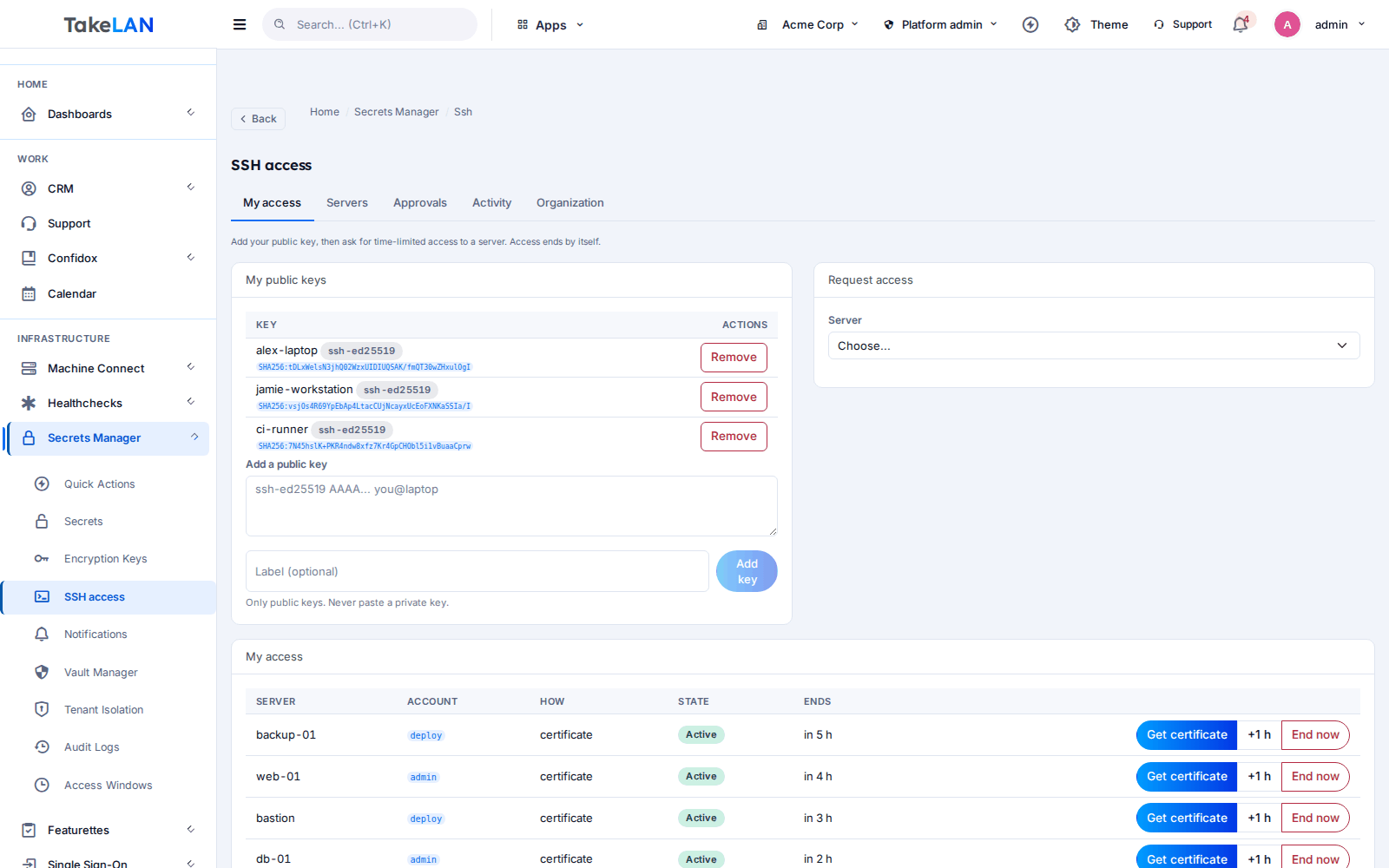
The wrapping key and certificate authority.
Affordable by design
Affordable by design. Start free* on the Takelan platform. There is no jump host to run and no key server to host yourself.
*Free within platform limits. Usage beyond limits may be charged to maintain the platform.
See pricingCommon questions
How do I give temporary SSH access to a server?
The person adds their public key, picks the server and account, and chooses how long they need it. If approval is on, the server owner decides. The agent then adds the key and removes it when time is up.
What is an SSH certificate authority?
It is a signing key your servers trust. Instead of storing each person's key on each server, the CA signs a short-lived certificate for a person. When the certificate expires, it stops working. You can use certificates, plain authorized keys, or both.
How do I revoke SSH access to a server?
Open the grant and revoke it. The agent removes the key at its next check, usually within about 30 seconds. Existing sessions are not cut off, so end them yourself if you need that.
Does the agent overwrite my authorized_keys file?
No. It only edits one block between its own begin and end markers. Your own keys outside the block are left alone, and a damaged or unsafe file is refused rather than changed.
What happens if Takelan is unreachable?
Access still ends on time. The agent keeps the last good state and enforces expiry and login limits locally. It cannot add new access without the API.
Can a one-login grant be beaten by a quick second login?
For plain authorized keys there is a tiny gap of a few milliseconds between the first login and key removal. For strict control, use short-lived certificates.
Which servers are supported?
Linux with systemd and OpenSSH, on x86_64 or aarch64. Windows, macOS and BSD are not supported. SELinux enforcing hosts are not verified yet.
What is the wrapping key, and what if I lose it?
It is a key your administrator creates to seal SSH data, including the CA private key. You get a recovery code once. If the key is lost, restore it from that code, so store the code safely.
Can I limit SSH access to office hours?
Yes. Set access windows by weekday and time in UTC in the policy. A request outside the windows is refused. Today these are set through the API.
Does it replace our VPN or bastion host?
No. It manages who may log in to a server and for how long. It does not carry traffic or open a remote shell for you. Keep using your network setup.
Make every SSH key expire.
Install the agent on one server, ask for access, and watch it end on time. Start free*.