
Customer Desk: a CRM and help desk for small IT teams and MSPs
Know every customer. Answer every request. Keep every deal moving.
Takelan Customer Desk brings your CRM, support tickets, knowledge base and drip funnels into one place. It is affordable by design, and it is easy to start free* if you use ShadowCradle.
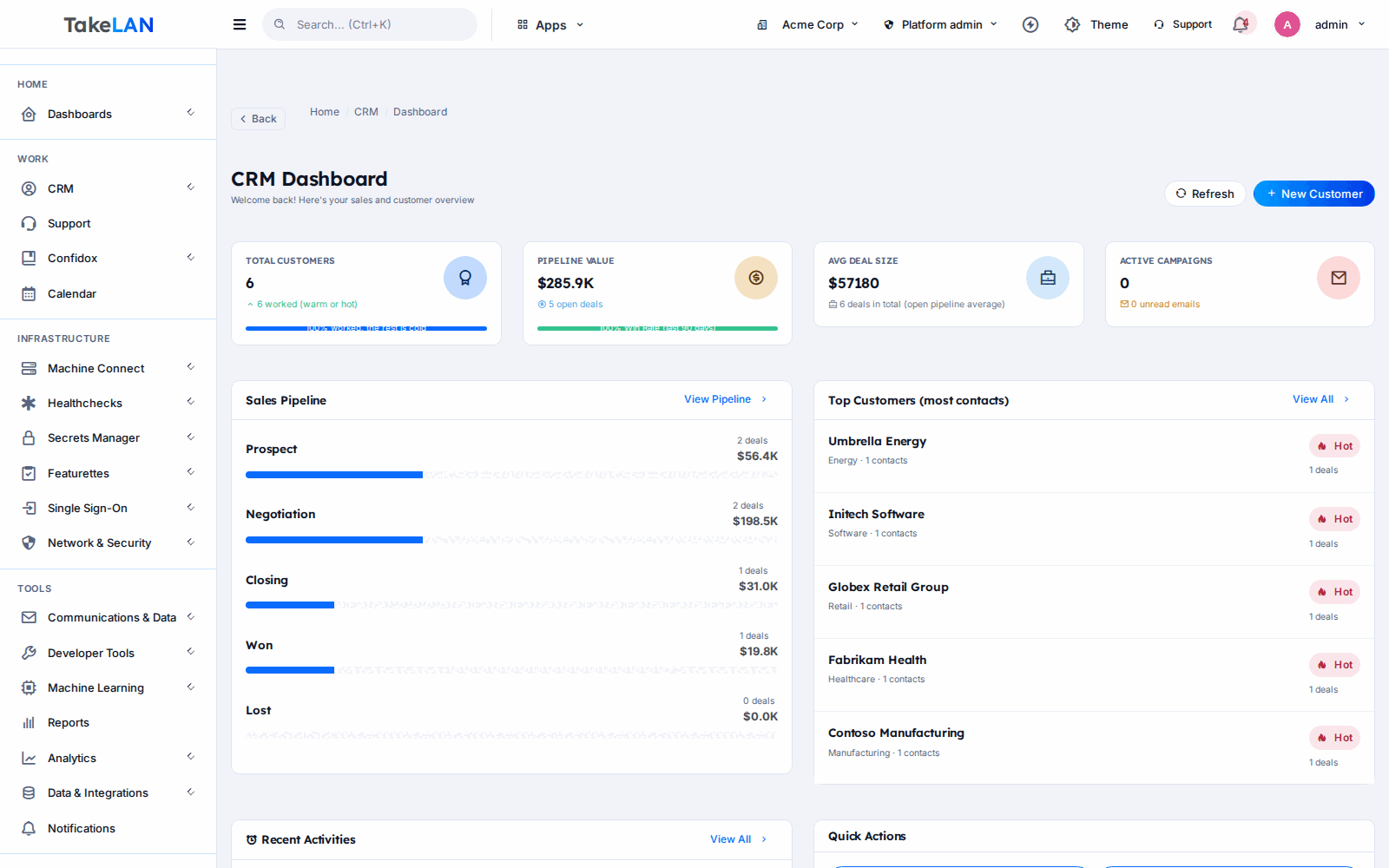
Pipeline, tickets and forecast on one screen. Demo data.
Why teams choose it
One desk instead of three tools
Sales, support and marketing share the same account record. Your engineer sees the open deal. Your salesperson sees the open ticket.
Support that starts from an inbox
Forward your support address. Each e-mail becomes a ticket with due dates, a thread, and a reply the customer can answer.
Customers need no password
Every ticket gets a private link. Customers read updates and reply from it. No account to create, nothing to forget.
Follow-up that runs on its own schedule
Build a drip funnel on a canvas. Add waits, branches and A/B variants. New leads get the right message at the right time.
AI that drafts, people decide
AI Sales Studio writes emails, call scripts and plans as drafts. A person approves each one. Nothing is sent by the draft step.
Linked to ShadowCradle
Connected organizations, appliances and support cases show up in Customer Desk. One switch turns the link on. Airgap licences never need it.
What you can do
Accounts, contacts and deals
- Accounts and contacts. Profiles, custom fields, export, bulk edit and fast global search.
- Deals with history. Stage moves are logged. Attach files. Print a PDF report for a deal.
- Pipeline board. Drag deals across a kanban board. Save the views you use most.
- Forecast. Weighted pipeline, commit and best case, targets, snapshots, stuck deals and win rates.
- Activities and reminders. Log calls, meetings and texts. Get reminded before they are due.
- Product and plan catalog. Products, plans, discounts, ramps and line items on deals.
- Relink contacts to companies. Match by domain, name or close spelling, then review the matches.
- Semantic search. Find records by meaning, not only exact words.
Leads and lead capture
- Lead stages and scoring. Move leads from MQL to SQL and rank them with a score.
- Funnel and channel reports. See conversion by stage, trend and source.
- Public lead capture. Post leads from a web form into Customer Desk without a login.
- Hot and cold data. Imported records start cold. Records you touch warm up. Filter by temperature.
Support desk
- Tickets. Create, assign, escalate and close. Public replies and private notes. Attachments included.
- SLA fields and metrics. Configurable by product and by organization. Each ticket carries first-response and resolution due dates, with met, remaining and breached counts.
- E-mail to ticket. Inbound mail becomes a ticket, threads stay together and spam is scored. Mail-created tickets get 8-hour first-response and 72-hour resolution targets.
- Customer magic-link portal. Customers follow and answer a ticket from a private link. No login.
- Support team tools. Team management, stats, and a confirm-resolution step.
- Knowledge base. Write articles once and point customers to them.
- Support reports. Volume, response and resolution views for your team.
Chat, polls and forms
- Live chat widget. Embed chat on your site. Agents answer from one inbox.
- Poll widget. Ask one question on any page and see the results.
- Form widget. Collect details on any page. Responses land in Customer Desk.
- Embed with a snippet. Each widget has an embed page and public endpoints for visitors.
Visual drip and branching funnels
- Canvas builder. Drag entry, e-mail, wait, branch and call-task steps. See the whole journey.
- A/B variants. Test two versions of a step and compare results.
- Start from a template. A start wizard and template gallery get a first funnel running fast.
- Many ways in. Landing page, kiosk, embed, HTML form, signed webhook, Zapier, Calendly, inbound e-mail or an audience import.
- Spam control. A hidden honeypot field and a signed time-trap block bots.
- Open, click and unsubscribe tracking. Signed links record what people do. Suppression lists respect opt-outs.
- Per-step analytics. See where people drop off and which path works best.
AI Sales Studio
- Drafts, not sends. Briefs, playbooks, e-mail templates, sequences, call scripts, LinkedIn and text snippets, campaign plans and prep sheets.
- Human approval gate. Only a person can approve a draft. Approving a draft never sends anything.
- Deal next steps and pipeline coach. Ask for the next best action on a deal or a read on your pipeline.
- Safer prompts. Customer text is fenced off in prompts so it cannot give the AI orders.
- Your credential, your limits. AI calls run with the caller’s own Takelan credential. Customer Desk holds no model keys.
Import, export and data safety
- HubSpot CSV and XLSX import. A migration job brings your HubSpot export across. Streaming upload handles large files.
- Import batches with undo. Roll back a bad import by batch.
- Reset with a 14-day restore window. Clear data and still get it back within 14 days.
- Encrypted at rest. Sensitive fields use AES-256-GCM, per tenant. Audit log and key rotation included.
- Tenant backup and restore. Back up and restore a tenant’s Customer Desk data.
Webhooks and roles
- Signed outbound webhooks. Events include deal won, ticket created, comment added, status changed and assigned. Each delivery is signed with HMAC SHA-256 and logged.
- Role-based access. Read, create, update, delete and manage permissions per user.
- Takelan SSO. Sign in with the same identity you use across the platform.
- Account to tenant link. Link a CRM account to a Takelan or ShadowCradle tenant and see whether the product is active.
How it works
Sign in and bring your data
Use Takelan SSO. Import your HubSpot export as CSV or XLSX, or start fresh. You can undo an import by batch.
Point support at your inbox
Forward your support address. Each message becomes a ticket. Customers get a private link to follow along.
Build a funnel
Pick a template or draw your own. Add waits, branches and A/B variants. Choose how leads enter.
Let AI draft, then approve
Ask AI Sales Studio for an e-mail, a sequence or a call script. Review it. Approve it yourself.
Connect ShadowCradle if you use it
Flip one switch. Organization, appliance and support-case events flow into Customer Desk through a durable queue.
See how it works
From first contact to won deal
Support desk
Works with ShadowCradle
Who it is for
Onboarding a new client
The deal closes. The account, contacts and agreements are already in one record. Tickets arrive by e-mail and the client follows each one from a private link. You keep margins healthy on an affordable tool.
An internal help desk with a knowledge base
Staff e-mail a shared address and get a ticket. Common fixes go in the knowledge base. A chat widget on the intranet answers the rest.
Follow-up without a marketing team
A web form feeds a funnel. Day one gets a welcome. Day three gets a nudge. Replies branch to a call task. You watch the forecast, not your inbox.
Wire it into your own stack
Use the REST API or the MCP endpoint. Subscribe to signed webhooks for tickets and won deals. Post leads from your own forms.
Works with
ShadowCradle cloud
Organization, appliance and support-case events sync to Customer Desk. A cloud-app receiver exists for the signed deal-won event.
HubSpot export, Zapier and Calendly
Import a HubSpot export. Use Zapier or Calendly as funnel entry points.
For ShadowCradle customers
When you connect a ShadowCradle organization, a CRM account is created for it. Appliance registrations, licence changes and suspensions are recorded. A critical appliance event or a customer support case opens a ticket that shows the customer, the person and the box. The customer gets a magic link. Events move through a durable outbox, so a short outage does not lose them. The link is live in staging and production and is off for Airgap, which works with no Takelan connection.
Free* for connected ShadowCradle organizations. *Free within platform limits; usage beyond limits may be charged to maintain the platform.
Takelan SSO is included when you connect. The link is optional and switched on in one place. The Airgap licence tier works without it. How this stays safe.
See the ShadowCradle side*Free within platform limits. Usage beyond limits may be charged to maintain the platform.
API, MCP and AI
Endpoints
GET /api/v1/crm/accountsList accounts.POST /api/v1/crm/dealsCreate a deal.GET /api/v1/crm/ticketsList tickets.POST /api/v1/public/lead-capturePublic lead capture. No login.POST /mcp/crmMCP endpoint for AI agents (Streamable HTTP).
Example
curl -H "X-API-Key: $TAKELAN_API_KEY" https://app.takelan.com/api/v1/crm/accounts
MCP
The MCP endpoint is /mcp/crm on app.takelan.com. Every API route becomes a tool that runs with the caller’s own permissions. It is read-only until a tenant admin turns writes on. Curated read tools include account brief, pipeline summary, find accounts, hot/cold stats and forecast summary. Draft-only write tools cover playbooks, e-mail templates, sequences, call scripts and saved segments. Draft approval, field decryption, magic-link creation and public routes are never offered as tools.
AI
- AI Sales Studio drafts content. A person approves each draft.
- Funnel AI helps design funnels.
- Semantic search finds records by meaning.
- AI calls use the caller’s own credential.
- Webhooks are signed with HMAC SHA-256 over the timestamp and body.
- Runtime OpenAPI docs are served by the service itself.
Security and trust
- Sensitive fields are encrypted at rest with AES-256-GCM, per tenant.
- Role-based access with separate read, create, update, delete and manage rights.
- Audit log, encryption admin and key rotation.
- Outbound webhooks and funnel entrances use signed requests.
- MCP runs with the caller’s permissions, and writes stay off until a tenant admin enables them.
- Customer-facing links use unguessable tokens. Funnel forms have spam traps.
See it
Sales, support and forecast in one view.
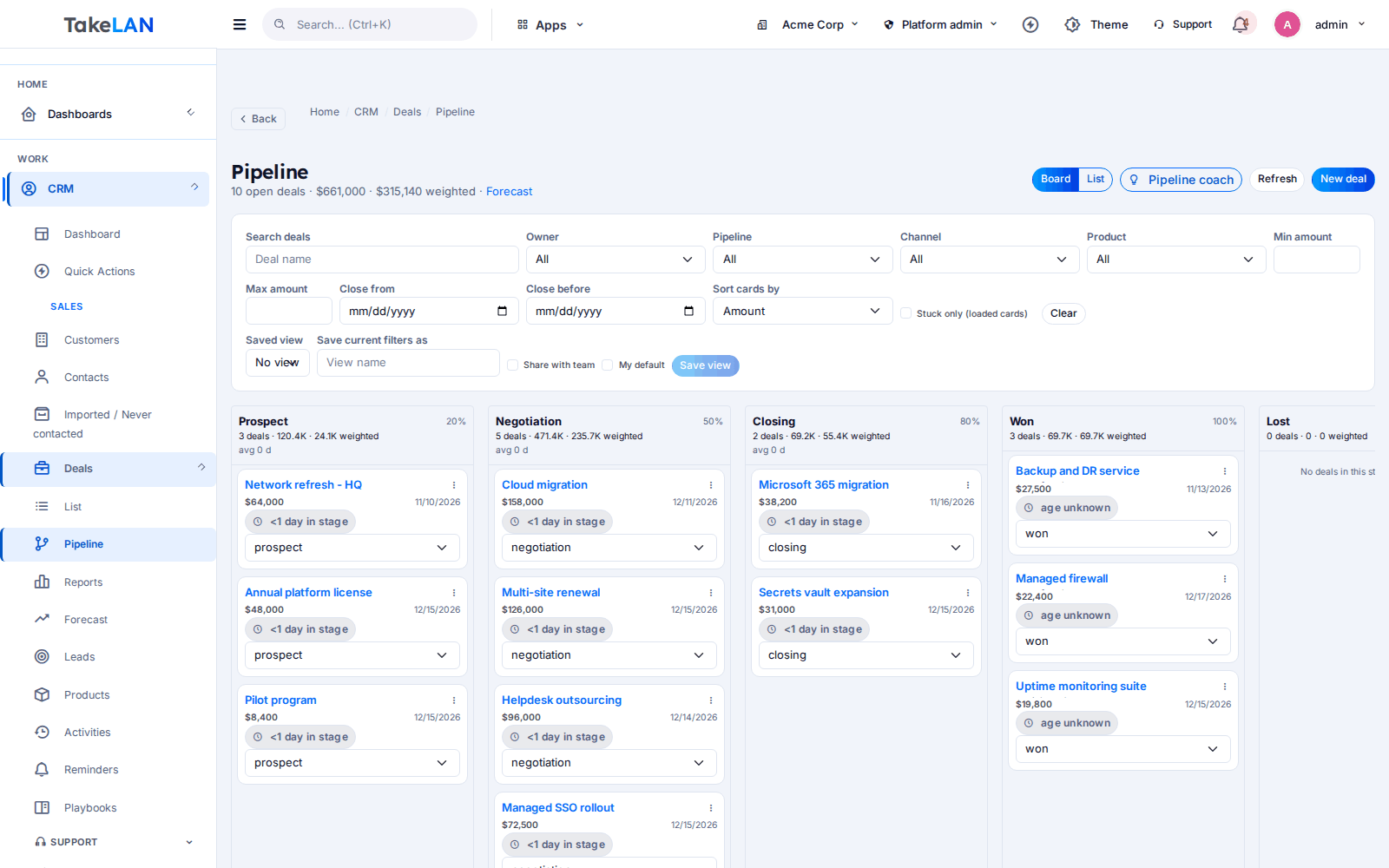
A deals board you can drag through the stages.
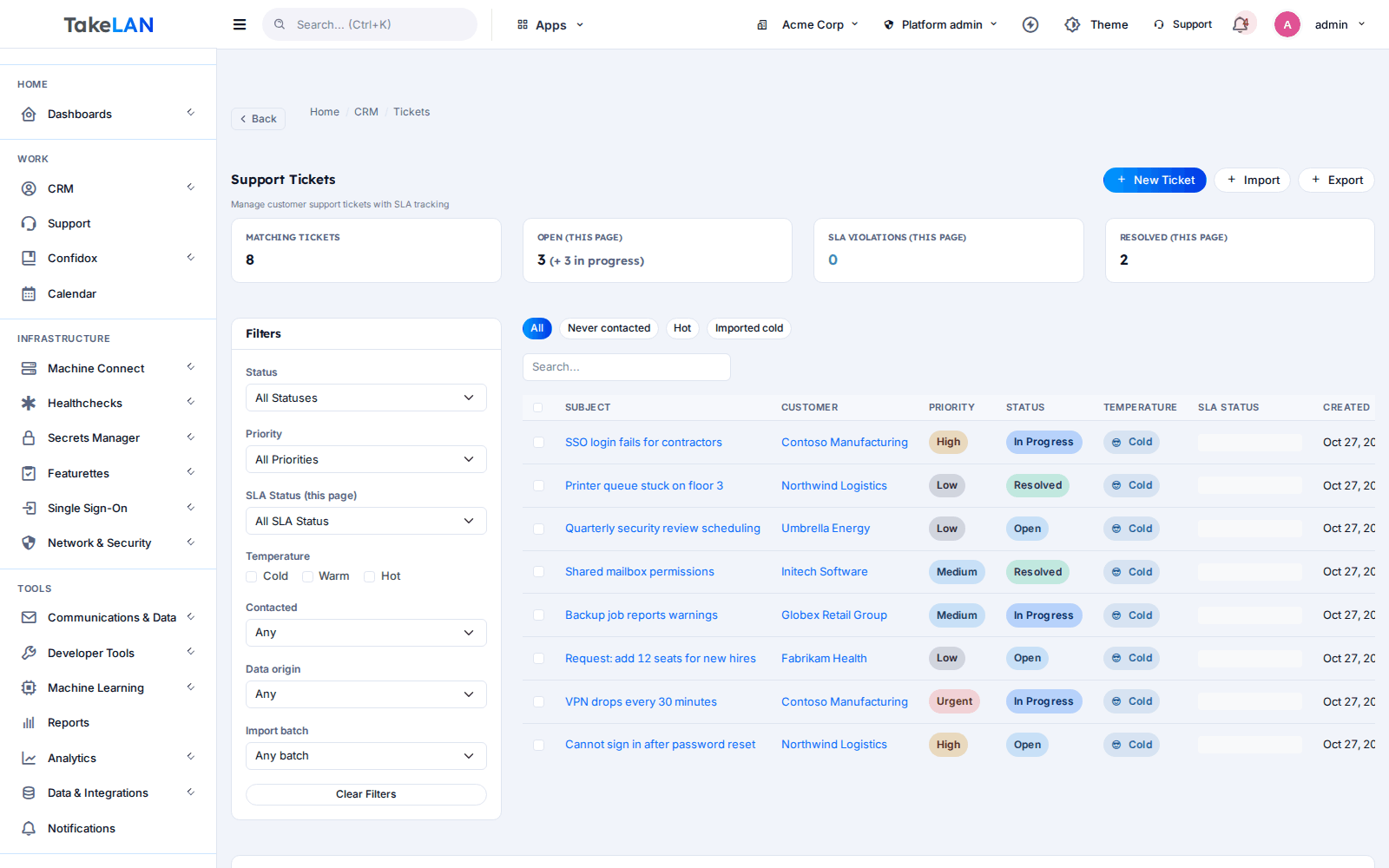
Support tickets with priority and status.
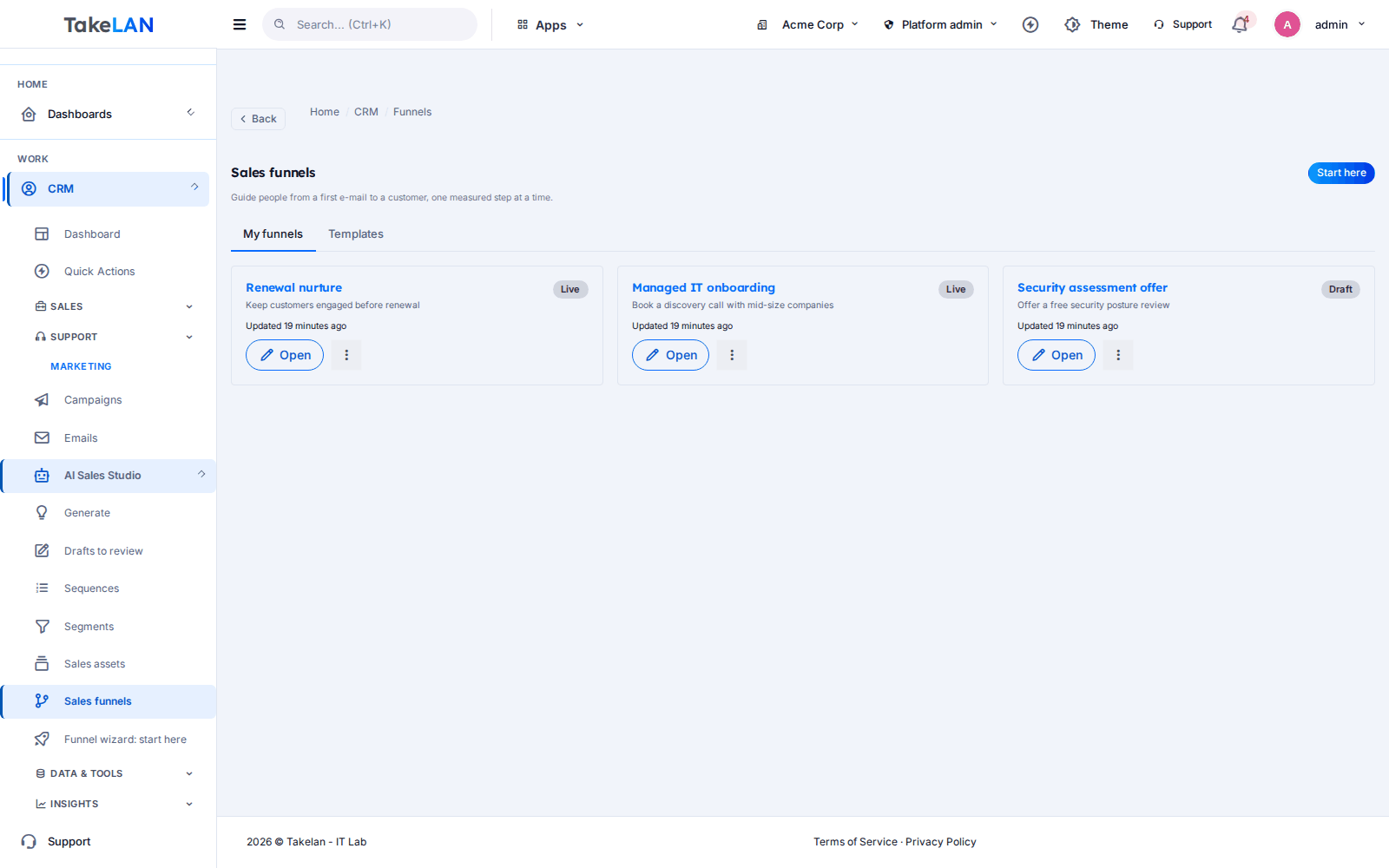
Funnels that run your follow-ups.
Affordable by design
One desk replaces separate CRM, help desk and drip tools, and it is affordable by design. ShadowCradle customers can start free*, and pricing beyond platform limits stays affordable.
*Free within platform limits. Usage beyond limits may be charged to maintain the platform.
See pricingCommon questions
What is Takelan Customer Desk?
It is a CRM, a support desk and a drip funnel builder in one product. You manage accounts, contacts, deals, tickets and follow-up together. The route is /platform/crm and the data is multi-tenant.
Is there a CRM and help desk in one tool for a small IT team or MSP?
Yes. Customer Desk keeps the account record, deals, tickets, knowledge base and funnels in one place. An engineer can see a deal. A salesperson can see a ticket.
How does e-mail to ticket work?
Inbound mail becomes a ticket. Replies stay in the same thread, and spam is scored. Tickets created from e-mail get fixed targets of 8 hours for first response and 72 hours to resolve. You can change due dates on any ticket.
Does Customer Desk have configurable SLA policies?
Yes. SLA policies are configurable by product and by organization. Tickets carry first-response and resolution due dates, and you see met, remaining and breached counts.
Can customers check a ticket without creating an account?
Yes. Each ticket has a private magic link. Customers read updates and reply from it. No login or password is needed.
Can I build a visual drip campaign with A/B testing?
Yes, in Funnels. You draw entry, e-mail, wait, branch and call-task steps on a canvas, add A/B variants, and see per-step results. Leads can enter from a form, landing page, webhook, Zapier, Calendly, e-mail or an import.
How do I import my data from HubSpot?
Export from HubSpot as CSV or XLSX and upload it in the migration tool. Uploads are streamed, so large files work. Each import is a batch you can undo.
Does the AI send e-mails to my customers on its own?
No. AI Sales Studio produces drafts. A person approves each one, and approving never sends. Any automatic sending by AI is off by default and gated by a rollout flag.
Can I connect Customer Desk to an AI agent over MCP?
Yes. Use /mcp/crm on app.takelan.com with an API key. It is read-only until a tenant admin enables writes. Agents run with your permissions and can leave drafts, but they cannot approve them.
How does Customer Desk work with ShadowCradle?
Connected organizations can use Takelan SSO and the free* services with one switch. Organization, appliance and support-case events then appear in Customer Desk. The link is optional, and an Airgap licence works without any Takelan connection.
More from the platform
Put your customers, tickets and follow-up in one desk.
Start free* with ShadowCradle, import from HubSpot in an afternoon, and grow at an affordable price.